

[p]We're introducing three new features: transfers in your favourite teams, transfers of your favourite players, and news about your favourite players. We'll notify you about your favourites' transfers as soon as they're officially confirmed.[/p][p]The new features are already available in the Flashscore app for Android and iOS (from version 26.7). Update your app, or download it from the App Store or Google Play. For now, these features are available for football only.[/p][h2]Squad overview and every transfer of your favourites[/h2][p]The new version of Flashscore offers much more than before. Track all ins and outs from your favourite team: up-to-date confirmed transfers, loans, and a complete overview of your favourite team's current squad – all in one place.[/p][p]It doesn't have to stop at the team level. If you've added a specific player to your favourites, you won't miss any of their moves or any news about them either.[/p][h2]How to enable transfer notifications[/h2][p]Setting up notifications is easy – it just depends on whether you're adding a team or player to your Favourites for the first time, or if you already have them there.[/p][image alt="How to turn on transfer notifications?" id="ffcde111-1514-44ff-9444-ccf7b4b1828b" credit-line="Flashscore" guid="74cb519a-0548-4448-940d-65875a050125" original-width="1800" original-height="1200" /][p][b]If you want to set notifications for both players and teams at once[/b][/p][p]You can also set notifications globally for all your favourite teams and players at once. Tap the little person icon with the cogwheel to go to [b]Settings[/b], where you'll find the [b]Notification Settings[/b] section. Here, select [b]Football[/b] and set notifications globally for all football teams or players. Then scroll down to the [b]Media[/b] section and tick [b]Transfers[/b].[/p][p][b]If you're adding a team or player to your Favourites[/b][/p][p]When you add a team to your Favourites by clicking the [b]star[/b], a window will automatically pop up where you can choose which notifications to allow. Just scroll down to the [b]Transfers[/b] option and enable it with a click. You can change your notification settings at any time later via the [b]bell[/b] icon.[/p][image alt="How to add players to favorites?" id="af91411a-282e-486d-9a0e-865903899f51" credit-line="Flashscore" guid="815f5699-e153-4060-8daf-dae5ecfb7730" original-width="1800" original-height="1200" /][p][b]If you already have a team or player in your Favourites[/b][/p][p]Go to the [b]Favourites[/b] section in the bottom navigation. Here you'll find two tabs – [b]Teams and Players[/b] – where your favourite entities are saved.[/p][p]Click on an item to go to your favourite team or player's page, and use the [b]bell[/b] icon to access notification settings. There, in the [b]Media[/b] section, you can enable transfer notifications.[/p][p]And that's it! From now on, you won't miss a single transfer or update about your favourites.[/p]
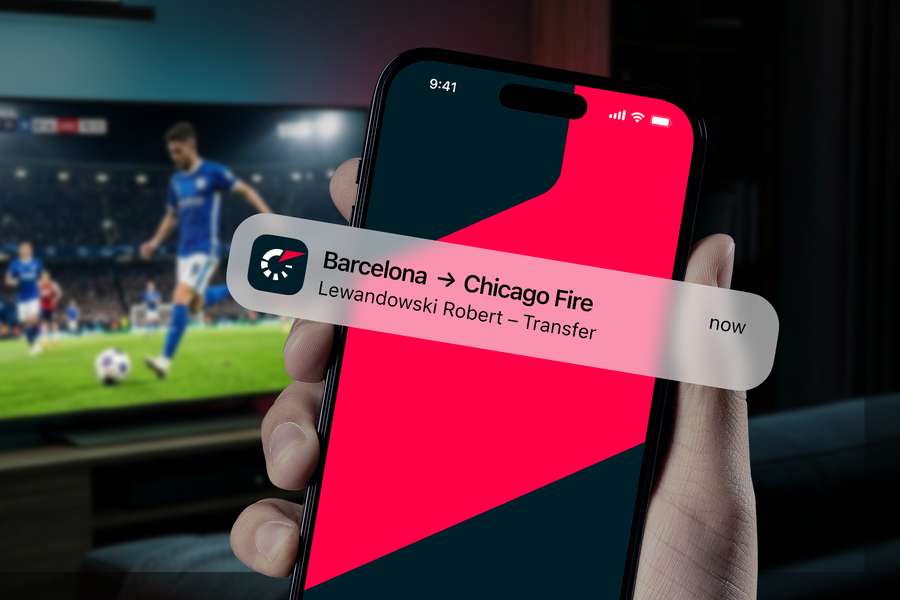
Keep track of your team's and favourite players' transfers with new features
The transfer window is in full flow and the news is coming thick and fast. Will your favourite team sign a star name? Will your key player be heading elsewhere? With Flashscore, you won't miss a single update about your favourite team or player.
Related stories

🏒 Hockey
New
Swedish world champion with impressive track record takes over Danish national hockey team
Svend Bertil Frandsen

🏒 Hockey
New
Macklin Celebrini pens five-year extension with Sharks to become highest-paid NHL player
Tolga Akdeniz

🏒 Hockey
New
Jason Robertson stays with Dallas Stars after signing $12 million deal
Eric Himmelheber

🏒 Hockey
New
Connor Bedard becomes third-highest paid player in NHL after $75 million deal
Eric Himmelheber

🏒 Hockey
New
Connor McMichael signs $40.5 million deal with St. Louis Blues
Eric Himmelheber
🏒 Hockey
New
Islanders become first NHL team to allow fans to design new third jersey
Eric Himmelheber